Signals | |
| void | specialKeyCaptured (const QString &symbolic) |
Public Member Functions | |
| KeyboardSequenceEdit (QWidget *parent=nullptr) | |
| KeyboardSequenceEdit::KeyboardSequenceEdit - Extended KeySequenceEdit. | |
Protected Member Functions | |
| void | keyPressEvent (QKeyEvent *event) override |
| KeyboardSequenceEdit::keyPressEvent - react to a keypress. | |
| void | keyReleaseEvent (QKeyEvent *event) override |
| KeyboardSequenceEdit::keyReleaseEvent - react to a key release. | |
| void | focusInEvent (QFocusEvent *event) override |
| KeyboardSequenceEdit::focusInEvent - react to the field gaining focus. | |
| void | focusOutEvent (QFocusEvent *event) override |
| KeyboardSequenceEdit::focusOutEvent - react to the field losing focus. | |
Constructor & Destructor Documentation
◆ KeyboardSequenceEdit()
|
explicit |
KeyboardSequenceEdit::KeyboardSequenceEdit - Extended KeySequenceEdit.
- Parameters
-
parent - parent object
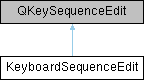
KeyboardSequenceEdit extends the QKeySequenceEdit to handle Left-Ctrl and Right-Ctrl keys, so that Q3270 can support Reset and Enter where they were on a 3270.
Member Function Documentation
◆ focusInEvent()
|
overrideprotected |
KeyboardSequenceEdit::focusInEvent - react to the field gaining focus.
- Parameters
-
event - the incoming focus event
focusInEvent sets the placeholder text to 'Press shortcut...' when the field gains focus.
◆ focusOutEvent()
|
overrideprotected |
KeyboardSequenceEdit::focusOutEvent - react to the field losing focus.
- Parameters
-
event - the incoming focus event
focusOutEvent clears the placeholder text when the field loses focus.
◆ keyPressEvent()
|
overrideprotected |
KeyboardSequenceEdit::keyPressEvent - react to a keypress.
- Parameters
-
event - the incoming keyboard event
keyPressEvent handles the incoming keyboard event. If either Ctrl key is pressed, the UI field shows 'LCtrl..' or 'RCtrl..' instead of just 'Ctrl..'. If another key is pressed in combination with the Ctrl key (eg, CTRL-A) then the display reverts to 'Ctrl+A'. Shift and Alt are handled in the same way, but as they do not have left and right variants, the display just shows 'Shift..' or 'Alt..'.
Also if another modifier is pressed while a Ctrl key is pending, the pending state is cleared and the display reset to empty, as multiple modifiers are not supported.
◆ keyReleaseEvent()
|
overrideprotected |
KeyboardSequenceEdit::keyReleaseEvent - react to a key release.
- Parameters
-
event - the incoming key release event
keyReleaseEvent handles the left and right Ctrl keys being pressed and released in isolation; if they are pressed and released without another key being pressed, the display shows 'LCtrl' or 'RCtrl' and that sequence can be mapped.
Also if Shift or Alt is released while a Ctrl key is pending, the pending state is cleared and the display reset to empty, as multiple modifiers are not supported.
The documentation for this class was generated from the following files:
- /home/runner/work/Q3270/Q3270/src/Preferences/KeyboardSequenceEdit.h
- /home/runner/work/Q3270/Q3270/src/Preferences/KeyboardSequenceEdit.cpp