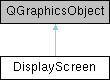
Public Slots | |
| void | blink () |
| DisplayScreen::blink - blink the display. | |
| void | cursorBlink () |
| DisplayScreen::cursorBlink - blink the cursor. | |
| void | setCursorColour (bool inherit) |
| DisplayScreen::setCursorColour - set the cursor colour. | |
| void | copyText () |
| DisplayScreen::copyText - copy the text within the rubberband to the clipboard. | |
| void | moveCursor (int x, int y) |
| DisplayScreen::moveCursor - move the cursor. | |
| void | deleteChar () |
| DisplayScreen::deleteChar - delete the character at the specified position. | |
| void | newline () |
| DisplayScreen::newline - move the cursor to the first input field after the current line. | |
| void | tab (int offset) |
| DisplayScreen::tab - tab to the next field. | |
| void | backtab () |
| DisplayScreen::backtab - back to the previous field start. | |
| void | home () |
| DisplayScreen::home - move the cursor to the first field on the screen. | |
| void | backspace () |
| DisplayScreen::backspace - backspace one character. | |
| void | eraseEOF () |
| DisplayScreen::eraseEOF - clear the Cells starting at pos until the end of the field. | |
| void | endline () |
| DisplayScreen::endline - move the cursor to the end of the current input field. | |
| void | processAID (int aid, bool shortread) |
| DisplayScreen::processAID - process an attention key. | |
| void | interruptProcess () |
| ProcessDataStream::interruptProcess - interrupt the current process. | |
Signals | |
| void | bufferReady (QByteArray &buffer) |
| void | cursorMoved (int x, int y) |
Public Member Functions | |
| DisplayScreen (int screen_x, int screen_y, CodePage &cp, const Colours *palette) | |
| DisplayScreen::DisplayScreen - the 3270 display matrix, representing primary or alternate screens. | |
| ~DisplayScreen () | |
| DisplayScreen::~DisplayScreen. | |
| void | mousePressEvent (QGraphicsSceneMouseEvent *mEvent) override |
| DisplayScreen::mousePressEvent - process a mouse event. | |
| void | mouseMoveEvent (QGraphicsSceneMouseEvent *mEvent) override |
| DisplayScreen::mouseMoveEvent - process a mouse move event. | |
| void | mouseReleaseEvent (QGraphicsSceneMouseEvent *mEvent) override |
| DisplayScreen::mouseReleaseEvent - process a mouse release event. | |
| QRectF | boundingRect () const override |
| void | paint (QPainter *p, const QStyleOptionGraphicsItem *, QWidget *) override |
| int | width () const |
| DisplayScreen::width - return the width of the screen. | |
| int | height () const |
| DisplayScreen::height - return the height the screen. | |
| qreal | gridWidth () const |
| qreal | gridHeight () const |
| void | setSize (const int x, const int y) |
| void | setChar (int pos, uchar c, bool fromKB) |
| DisplayScreen::setChar - place a character on the screen. | |
| void | setCharAttr (unsigned char c, unsigned char d) |
| DisplayScreen::setCharAttr - set character attributes. | |
| void | resetExtendedHilite (int pos) |
| DisplayScreen::resetExtendedHilite - reset the extended highlighting. | |
| void | resetExtended (int pos) |
| DisplayScreen::resetExtended - reset extended attributes ready for a Start Field Extended. | |
| void | resetCharAttr () |
| DisplayScreen::resetCharAttr - set character attributes to default. | |
| void | resetColours () |
| DisplayScreen::resetColours - set the colours of each cell. | |
| void | resetMDTs () |
| DisplayScreen::resetMDTs - reset all the MDTs on the screen. | |
| void | setExtendedColour (int pos, bool foreground, unsigned char c) |
| DisplayScreen::setExtendedColour - set the extended colour attributes. | |
| void | setExtendedBlink (int pos) |
| DisplayScreen::setExtendedBlink - switch blink on. | |
| void | setExtendedReverse (int pos) |
| DisplayScreen::setExtendedReverse - switch reverse on. | |
| void | setExtendedUscore (int pos) |
| DisplayScreen::setExtendedUscore - switch underscore on. | |
| void | setField (int pos, unsigned char c, bool sfe) |
| DisplayScreen::setField - Start Field or Start Field Extended. | |
| void | setGraphicEscape () |
| DisplayScreen::setGraphicEscape - indicate that the next character is a graphic one. | |
| void | getModifiedFields (QByteArray &buffer) |
| DisplayScreen::getModifiedFields - extract all modified fields from the screen. | |
| int | findNextUnprotectedField (int pos) |
| DisplayScreen::findNextUnprotectedField - find the next unprotected field. | |
| int | findPrevUnprotectedField (int pos) |
| DisplayScreen::findPrevUnprotectedField - find the previous unprotected field. | |
| bool | insertChar (unsigned char c, bool insertMode) |
| DisplayScreen::insertChar - Inserts or overwrites the character at the specified position. | |
| void | eraseUnprotected (int start, int end, Q3270::EraseResetMDT resetMDT) |
| DisplayScreen::eraseUnprotected - erase unprotected fields between addresses. | |
| void | setCursor (const int x, const int y) |
| DisplayScreen::setCursor - position cursor. | |
| void | setCursor (int pos) |
| DisplayScreen::setCursor - position cursor. | |
| void | showCursor () |
| DisplayScreen::showCursor - display cursor. | |
| void | cascadeAttrs (int startpos) |
| DisplayScreen::cascadeAttrs - cascade a field attribute to the cells in the field. | |
| bool | isAskip (int pos) const |
| DisplayScreen::isAskip - does this Cell have autoskip enabled. | |
| bool | isProtected (int pos) const |
| DisplayScreen::isProtected - is this Cell protected? | |
| bool | isFieldStart (int pos) const |
| DisplayScreen::isFieldStart - is this Cell a Field Start. | |
| void | clear () |
| DisplayScreen::clear - clear the screen. | |
| void | setFont (const QFont &font) |
| DisplayScreen::setFont - change the font on the screen. | |
| void | setFontTweak (const Q3270::FontTweak f) |
| DisplayScreen::setFontTweak - change the way zero is displayed. | |
| void | toggleRuler () |
| DisplayScreen::toggleRuler - toggle the ruler on or off. | |
| void | setRuler () |
| DisplayScreen::setRuler - set the ruler style and redraw it in case it needs to move. | |
| void | rulerMode (bool on) |
| DisplayScreen::rulerMode - display/hide the ruler. | |
| void | setRulerStyle (Q3270::RulerStyle rulerStyle) |
| DisplayScreen::setRulerStyle - change ruler style. | |
| void | getScreen (QByteArray &buffer) |
| DisplayScreen::getScreen - place the screen buffer into the 3270 data stream. | |
| void | readBuffer () |
| void | addPosToBuffer (QByteArray &buffer, int pos) |
| DisplayScreen::addPosToBuffer - insert 'pos' into 'buffer' as two bytes, doubling 0xFF if needed. | |
| void | dumpFields () |
| DisplayScreen::dumpFields - debug routine to print out all fields. | |
| void | dumpDisplay () |
| DisplayScreen::dumpDisplay - print out a debug replication of the screen. | |
| void | dumpInfo () |
| DisplayScreen::dumpInfo - display information about the Cell at pos. | |
Constructor & Destructor Documentation
◆ DisplayScreen()
|
explicit |
DisplayScreen::DisplayScreen - the 3270 display matrix, representing primary or alternate screens.
- Parameters
-
screen_x - the width of the screen screen_y - the height of the screen cp - the codepage being used palette - the colour theme being used
DisplayScreen manages the 3270 display matrix. It is responsible for placing characters on the screen and for managing fields, graphic escape, attributes and so on.
The screen is defined as a width x height area. Each cell within that area is CELL_WIDTH by CELL_HEIGHT. This is a 4:3 ratio akin to the original 3270 screens; scaled by Qt as required.
DisplayScreen also handles the crosshairs (the ruler, which tracks where the cursor is), and the rubberband for selecting, copying and pasting sections of the screen.
◆ ~DisplayScreen()
| DisplayScreen::~DisplayScreen | ( | ) |
DisplayScreen::~DisplayScreen.
Not sure we need this!
Member Function Documentation
◆ addPosToBuffer()
| void DisplayScreen::addPosToBuffer | ( | QByteArray & | buffer, |
| int | pos | ||
| ) |
DisplayScreen::addPosToBuffer - insert 'pos' into 'buffer' as two bytes, doubling 0xFF if needed.
- Parameters
-
buffer - QByteArray to append pos into pos - screen position
Adds the screen position pos into the buffer. The 3270 datastream uses 0xFF as an control byte so any actual 0xFF bytes are doubled - a 0xFF 0xFF sequence in the stream indicates a single 0xFF byte.
◆ backspace
|
slot |
DisplayScreen::backspace - backspace one character.
Backspace one character, stopping at the field start
◆ backtab
|
slot |
DisplayScreen::backtab - back to the previous field start.
Move the cursor to the start of the previous field (which may be this field)
◆ blink
|
slot |
DisplayScreen::blink - blink the display.
Called by a timer in Terminal to blink any characters that have blink enabled
◆ cascadeAttrs()
| void DisplayScreen::cascadeAttrs | ( | int | pos | ) |
DisplayScreen::cascadeAttrs - cascade a field attribute to the cells in the field.
- Parameters
-
pos - the position of the field
When a field is set on the display, all the character cells following it inherit the field attributes. This routine copies the field attributes to the cells in the field until the next field start.
◆ clear()
| void DisplayScreen::clear | ( | ) |
DisplayScreen::clear - clear the screen.
clear is called at first 'power on', when the EW or EWA commands are received, and also when the user presses the Clear button.
All fields are wiped, all attributes are reset and the display is filled with nulls.
◆ copyText
|
slot |
DisplayScreen::copyText - copy the text within the rubberband to the clipboard.
Called when the user invokes the Copy function (default Ctrl-C) to copy the text contained within the rubberband region to the clipboard. Each new line within the rubberband generates a newline on the clipboard.
◆ cursorBlink
|
slot |
DisplayScreen::cursorBlink - blink the cursor.
Called by a timer in Terminal to blink the cursor
◆ deleteChar
|
slot |
DisplayScreen::deleteChar - delete the character at the specified position.
- Parameters
-
pos - screen position
deleteChar is used when deleting a character from the keyboard. The characters to the right of the Cell at pos are shifted left by one character, and a null inserted at the end of the field.
◆ dumpDisplay()
| void DisplayScreen::dumpDisplay | ( | ) |
DisplayScreen::dumpDisplay - print out a debug replication of the screen.
Used to debug screen layout
◆ dumpFields()
| void DisplayScreen::dumpFields | ( | ) |
DisplayScreen::dumpFields - debug routine to print out all fields.
Used to debug where fields are on the screen.
◆ dumpInfo()
| void DisplayScreen::dumpInfo | ( | ) |
DisplayScreen::dumpInfo - display information about the Cell at pos.
Used to display information about the Cell at pos. Mapped to Ctrl-I.
◆ endline
|
slot |
DisplayScreen::endline - move the cursor to the end of the current input field.
Move the cursor to the end of the text in the current input field.
◆ eraseEOF
|
slot |
DisplayScreen::eraseEOF - clear the Cells starting at pos until the end of the field.
- Parameters
-
pos - screen position
eraseEOF is used when the Erase EOF function is used from the keyboard. The field that Cell is in is set to null, starting at position pos until the end of the field.
◆ eraseUnprotected()
| void DisplayScreen::eraseUnprotected | ( | int | start, |
| int | end, | ||
| Q3270::EraseResetMDT | resetMDT | ||
| ) |
DisplayScreen::eraseUnprotected - erase unprotected fields between addresses.
- Parameters
-
start - screen position end - screen position
eraseUnprotected is called when the EUA (Erase Unprotected to Address) order is encountered in the 3270 data stream. All unprotected fields between the specified positions are set to nulls.
◆ findNextUnprotectedField()
| int DisplayScreen::findNextUnprotectedField | ( | int | pos | ) |
DisplayScreen::findNextUnprotectedField - find the next unprotected field.
- Parameters
-
pos - screen position
- Returns
- Field Start of the next unprotected field
Find the next field that is unprotected. This incorporates two field start attributes next to each other - field start attributes are protected, so with two adjacent Field Starts, the first cannot be an unprotected field. Used by tab, home, and the PT order.
◆ findPrevUnprotectedField()
| int DisplayScreen::findPrevUnprotectedField | ( | int | pos | ) |
DisplayScreen::findPrevUnprotectedField - find the previous unprotected field.
- Parameters
-
pos - screen position
- Returns
- Field Start of the previous unprotected field.
Find the previous field that is unprotected. This incorporates two field start attributes next to each other - field start attributes are protected, so with two adjacent Field Starts, the first cannot be an unprotected field.
◆ getModifiedFields()
| void DisplayScreen::getModifiedFields | ( | QByteArray & | buffer | ) |
DisplayScreen::getModifiedFields - extract all modified fields from the screen.
- Parameters
-
buffer - address of a QByteArray to which the modified fields are appended
Locate all modified fields (MDT tags are set) and add them to the provided buffer.
◆ getScreen()
| void DisplayScreen::getScreen | ( | QByteArray & | buffer | ) |
DisplayScreen::getScreen - place the screen buffer into the 3270 data stream.
- Parameters
-
buffer - buffer to add the screen to
The 3270 command Read Buffer (RB) causes the screen contents to be returned to the host. getScreen extracts the screen status and adds it to buffer.
◆ height()
| int DisplayScreen::height | ( | ) | const |
DisplayScreen::height - return the height the screen.
- Returns
- the height passed to the constructor
width is called to extract the vertical size of the screen. It is used by the Read Partition (Query) structure field which responds to the host with the capabilities of the terminal.
◆ home
|
slot |
DisplayScreen::home - move the cursor to the first field on the screen.
Move the cursor to the first field on the screen; searching starts at the very last position in case that is a field start, and the first position is not.
◆ insertChar()
| bool DisplayScreen::insertChar | ( | unsigned char | c, |
| bool | insertMode | ||
| ) |
DisplayScreen::insertChar - Inserts or overwrites the character at the specified position.
- Parameters
-
c - character to be inserted insertMode - true for insert, false for overtype
- Returns
- true if insert was successful, false if field protected or not enough space for insert mode
insertChar is used when a character is entered from the keyboard. if Insert mode is on, the existing characters to the right of the Cell at pos are shifted right by one Cell if there is a space or a null at the end. The character is then inserted into the space at pos.
If there isn't enough space, insertChar returns false, otherwise it returns true.
TODO:
Insert only works when there is a null character in the field. If the field contains spaces, they don't count as nulls. The code below searches for the first null in the field, allowing the insert to happen only if it finds one.
There is some initial code here to check the last character of a field to see if it's a space or a null (in which case, the insert could succeed).
x3270 has an option for 'blank fill' which allows a space at the end of field to be lost when inserting characters; otherwise there must be a null.
What happens when there is a null in the middle of a field, but characters to the right? Theoretically, when an insert operation happens, the characters to the right of the insert point are moved to occupy the null (which is lost) and the characters to the right of the null remain in situ. This might be overthinking it!
Perhaps this should be broken into two tests - if the last char is a null, insert; If the option to 'blank fill' is enabled, if the last char is a space, insert otherwise it's overflow.
◆ interruptProcess
|
slot |
ProcessDataStream::interruptProcess - interrupt the current process.
This is processing for ATTN
◆ isAskip()
| bool DisplayScreen::isAskip | ( | int | pos | ) | const |
DisplayScreen::isAskip - does this Cell have autoskip enabled.
- Parameters
-
pos - screen position
- Returns
- true if autoskip is on, false otherwise
isAskip returns a boolean indicating whether the supplied screen position contains autoskip.
◆ isFieldStart()
| bool DisplayScreen::isFieldStart | ( | int | pos | ) | const |
DisplayScreen::isFieldStart - is this Cell a Field Start.
- Parameters
-
pos - screen position
- Returns
- true for a Field Start, false otherwise
isFieldStart returns true if the Cell is a Field Start
◆ isProtected()
| bool DisplayScreen::isProtected | ( | int | pos | ) | const |
DisplayScreen::isProtected - is this Cell protected?
- Parameters
-
pos - screen position
- Returns
- true if protected, false otherwise
isProtected returns true if the Cell is protected.
◆ mouseMoveEvent()
|
override |
DisplayScreen::mouseMoveEvent - process a mouse move event.
- Parameters
-
mEvent - the event
Called when the mouse is moved after a click. This routine calculates the Cells around which the rubberband is to be drawn and then makes it visible.
◆ mousePressEvent()
|
override |
DisplayScreen::mousePressEvent - process a mouse event.
- Parameters
-
mEvent - the event
Called when a mouse event happens in DisplayScreen. This routine handles a left-click, and stores the coordinates of the click. The Rubberband is hidden (it will be shown if the mouse is moved).
◆ mouseReleaseEvent()
|
override |
DisplayScreen::mouseReleaseEvent - process a mouse release event.
- Parameters
-
mEvent - the event
Called when the left mouse button is released. If the mouse button was released without moving the mouse, the rubberband will be invisible, and this is interpreted as the user wishing to move the cursor by clicking somewhere in the display.
◆ moveCursor
|
slot |
DisplayScreen::moveCursor - move the cursor.
- Parameters
-
x - x position to move the cursor to y - y position to move the cursor to
◆ newline
|
slot |
DisplayScreen::newline - move the cursor to the first input field after the current line.
Move the cursor to the first input field found after the start of the next line.
◆ processAID
|
slot |
DisplayScreen::processAID - process an attention key.
- Parameters
-
aid - the key shortRead - true for short read, false for normal
Process an attention key. If the key was a short read key (like CLEAR, PA1 etc) then no fields are returned to the host.
◆ resetCharAttr()
| void DisplayScreen::resetCharAttr | ( | ) |
DisplayScreen::resetCharAttr - set character attributes to default.
Character attributes are reset when another 3270 write command is sent or the Clear key is pressed.
◆ resetColours()
| void DisplayScreen::resetColours | ( | ) |
DisplayScreen::resetColours - set the colours of each cell.
resetColours updates each cell with the modified colour palette. This is called when the user has changed the colour palette.
◆ resetExtended()
| void DisplayScreen::resetExtended | ( | int | pos | ) |
DisplayScreen::resetExtended - reset extended attributes ready for a Start Field Extended.
- Parameters
-
pos - the field position
When a SFE order is encountered, there is no way to know which attributes will be set in the extended attribute pairs that follow the SFE, so this routine makes sure that any existing attribute settings are cleared before processing the pairs.
◆ resetExtendedHilite()
| void DisplayScreen::resetExtendedHilite | ( | int | pos | ) |
DisplayScreen::resetExtendedHilite - reset the extended highlighting.
- Parameters
-
pos - the position on screen
Extended attribute pairs may set the highlighting to default or reset it. In both cases, this routine is used to switch off any existing highlighting.
◆ resetMDTs()
| void DisplayScreen::resetMDTs | ( | ) |
DisplayScreen::resetMDTs - reset all the MDTs on the screen.
Reset all MDTs in the display; it's probably faster to just loop through the entire buffer rather than calling findNextField()
◆ rulerMode()
| void DisplayScreen::rulerMode | ( | bool | on | ) |
DisplayScreen::rulerMode - display/hide the ruler.
- Parameters
-
on - whether ruler is shown or not
Called when Settings changes ruler to on or off.
◆ setChar()
| void DisplayScreen::setChar | ( | int | pos, |
| uchar | c, | ||
| bool | fromKB | ||
| ) |
DisplayScreen::setChar - place a character on the screen.
- Parameters
-
pos - the cell in which to place the character c - the character to be set fromKB - whether the character was generated by the keyboard
setChar is called whenever a character is to be placed on the screen. This can be either from the incoming 3270 data stream, or from the keyboard. Whichever method generated the call, any field start is removed (this can only happen from the datastream, because field starts are protected by nature). Any character attributes previously present in the cell are removed.
The field containing the character is used to determine the colour of the character, unless character attributes are in effect.
◆ setCharAttr()
| void DisplayScreen::setCharAttr | ( | unsigned char | extendedType, |
| unsigned char | extendedValue | ||
| ) |
DisplayScreen::setCharAttr - set character attributes.
- Parameters
-
extendedType - the character attribute to set extendedValue - the value
setCharAttr is called when the SA order is encountered in the 3270 data stream. SA orders set the character attributes for the next characters placed on the screen until one of the conditions turns them off.
SA orders have two bytes; the attribute type, and the value.
- Note
- There are more character attributes than Q3270 currently supports.
◆ setCursor() [1/2]
| void DisplayScreen::setCursor | ( | const int | x, |
| const int | y | ||
| ) |
DisplayScreen::setCursor - position cursor.
- Parameters
-
x - screen position x y - screen position y
setCursor is used when the cursor is moved either by the user or by the incoming 3270 data stream.
◆ setCursor() [2/2]
| void DisplayScreen::setCursor | ( | int | cursorPos | ) |
DisplayScreen::setCursor - position cursor.
- Parameters
-
cursorPos - screen position
setCursor is used when the cursor is moved either by the user or by the incoming 3270 data stream.
◆ setCursorColour
|
slot |
DisplayScreen::setCursorColour - set the cursor colour.
- Parameters
-
inherit - whether the cursor inherits the underlying character colour
setCursorColour is called when the user changes the way the colour of the cursor is chosen. The default is for the cursor to be shown with the the colour of the Cell on which the cursor is placed, but it can be changed to be a static grey colour.
◆ setExtendedBlink()
| void DisplayScreen::setExtendedBlink | ( | int | pos | ) |
DisplayScreen::setExtendedBlink - switch blink on.
- Parameters
-
pos - screen position
Set the cell at position to blink. Blink, Reverse and Underscore are mutually exclusive.
◆ setExtendedColour()
| void DisplayScreen::setExtendedColour | ( | int | pos, |
| bool | foreground, | ||
| unsigned char | c | ||
| ) |
DisplayScreen::setExtendedColour - set the extended colour attributes.
- Parameters
-
pos - screen position foreground - foreground or background (true for foreground) c - the colour to set
When the extended attribute pair is a set foreground colour or set background colour, this routine modifies the colour accordingly.
◆ setExtendedReverse()
| void DisplayScreen::setExtendedReverse | ( | int | pos | ) |
DisplayScreen::setExtendedReverse - switch reverse on.
- Parameters
-
pos - screen position
Set the cell at position to reverse. Blink, Reverse and Underscore are mutually exclusive.
◆ setExtendedUscore()
| void DisplayScreen::setExtendedUscore | ( | int | pos | ) |
DisplayScreen::setExtendedUscore - switch underscore on.
- Parameters
-
pos - screen position
Set the cell at position to underscore. Blink, Reverse and Underscore are mutually exclusive.
◆ setField()
| void DisplayScreen::setField | ( | int | pos, |
| unsigned char | c, | ||
| bool | sfe | ||
| ) |
DisplayScreen::setField - Start Field or Start Field Extended.
- Parameters
-
pos - the position on screen c - the field attribute byte that controls protected, numeric and others sfe - true for a Start Field Extended
setField marks the beginning of a 3270 field. The Field Attribute byte takes the following form:
| Bit | Function |
|---|---|
| 0,1 | These two bits combine to make the field attribute a valid EBCDIC character |
| 2 | Field is protected if set to 1 |
| 3 | Field is numeric if set to 1 |
| 4,5 | 00 - Display, non-light pen detectable |
| 01 - Display, light pen detectable | |
| 10 - Intensified, light pen detectable | |
| 11 - Non-display, non light pen detectable | |
| 6 | Reserved. Must be 0. |
| 7 | MDT flag. Set when a field is modified |
setField characters are always displayed as nulls. When a Start Field (or SFE) is encountered, the characters following the field are modified to reflect the field attribute via the cascadeAttrs function.
◆ setFont()
| void DisplayScreen::setFont | ( | const QFont & | font | ) |
DisplayScreen::setFont - change the font on the screen.
- Parameters
-
font - the new font
setFont is called when the user has changed the font that is used to display the characters on the screen. Each cell is updated with the new font.
◆ setFontTweak()
| void DisplayScreen::setFontTweak | ( | const Q3270::FontTweak | f | ) |
DisplayScreen::setFontTweak - change the way zero is displayed.
- Parameters
-
f - how a zero is modified on screen
setFontTweak changes the way a zero is displayed.
◆ setGraphicEscape()
| void DisplayScreen::setGraphicEscape | ( | ) |
DisplayScreen::setGraphicEscape - indicate that the next character is a graphic one.
The 3270 Graphic Escape order means that the next character is selected from the internal 0310 code page.
◆ setRuler()
| void DisplayScreen::setRuler | ( | ) |
DisplayScreen::setRuler - set the ruler style and redraw it in case it needs to move.
Called by several other routines when the ruler needs to be changed or the cursor has moved.
◆ setRulerStyle()
| void DisplayScreen::setRulerStyle | ( | Q3270::RulerStyle | rulerStyle | ) |
DisplayScreen::setRulerStyle - change ruler style.
- Parameters
-
rulerStyle - ruler style rulerStyle | Description ---------- | ----------- 0 | Crosshair 1 | Vertical 2 | Horizontal other | Off
◆ showCursor()
| void DisplayScreen::showCursor | ( | ) |
DisplayScreen::showCursor - display cursor.
Called when the cursor blink is switched off to ensure that the cursor doesn't remain hidden if the blink happened to be at the point the cursor was hidden.
◆ tab
|
slot |
DisplayScreen::tab - tab to the next field.
- Parameters
-
offset - offset from the current position
Move the cursor to the next input field, skipping the attribute byte.
◆ toggleRuler()
| void DisplayScreen::toggleRuler | ( | ) |
DisplayScreen::toggleRuler - toggle the ruler on or off.
Called when the user switches the ruler on or off.
◆ width()
| int DisplayScreen::width | ( | ) | const |
DisplayScreen::width - return the width of the screen.
- Returns
- the width passed to the constructor
width is called to extract the horizontal size of the screen. It is used by the Read Partition (Query) structure field which responds to the host with the capabilities of the terminal.
The documentation for this class was generated from the following files:
- /home/runner/work/Q3270/Q3270/src/DisplayScreen.h
- /home/runner/work/Q3270/Q3270/src/Display/DisplayScreen.cpp
- /home/runner/work/Q3270/Q3270/src/Display/DisplayScreen_Cursor.cpp
- /home/runner/work/Q3270/Q3270/src/Display/DisplayScreen_Mouse.cpp